Users on a legacy product need to migrate to a new platform.
One of our products was being sunsetted and all the users would need to be migrated within the year. Previous migration efforts had taken a considerable amount of time, involved manual work and required a lot of account and customer support. We needed to find a way to make this process faster and more seamless.
D&B Hoovers
Legacy Product Migration
Key Goals & Requirements
Minimize friction points
Allow users to self serve
Make the experience simple
Initial Discovery
One of the first things I needed to do was work with product owners to get an understanding of what features and functionality users are leveraging in the legacy product. I needed to identify the commonalities and differences between the two apps, where there might be conflicts, and what assets would easily map and which would not?
How will users access this solutions and what will that experience be?
What tech limitations might we have based on the timeline?
What user preferences or assets will users be expecting to carry over?
How might we alleviate concerns of lost work?
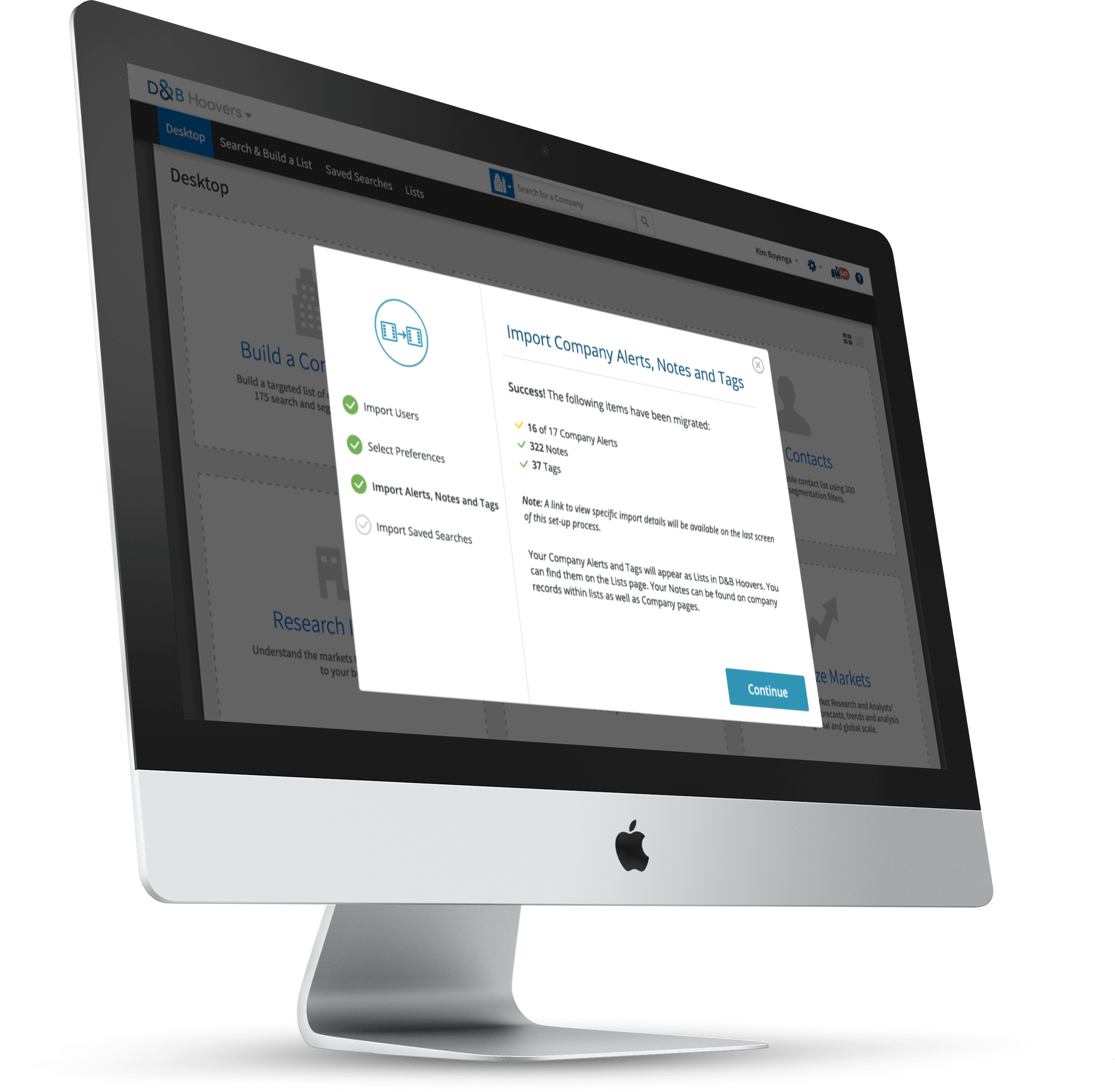
Once I had a solid understanding of the legacy product and project expectations, I started thinking about how to best design the workflow to make it feel as seamless as possible for the user. Depending on the project I might examine existing patterns for this type of experience, or research competitors, but I don’t always want to start there as it can sometimes inhibit fresh, new ideas. After sketching out a few options, I will then examine similar patterns to see where my ideas might overlap or differ from other experiences. Vast commonalities in patterns might suggest an existing mental model, therefore sticking with convention may aid ease of use, but would new patterns quicker, easier, learnable? There wasn’t time allocated for user testing so I worked closely with product owners and internal reviewers to align on a simple workflow that supported both business and user needs.
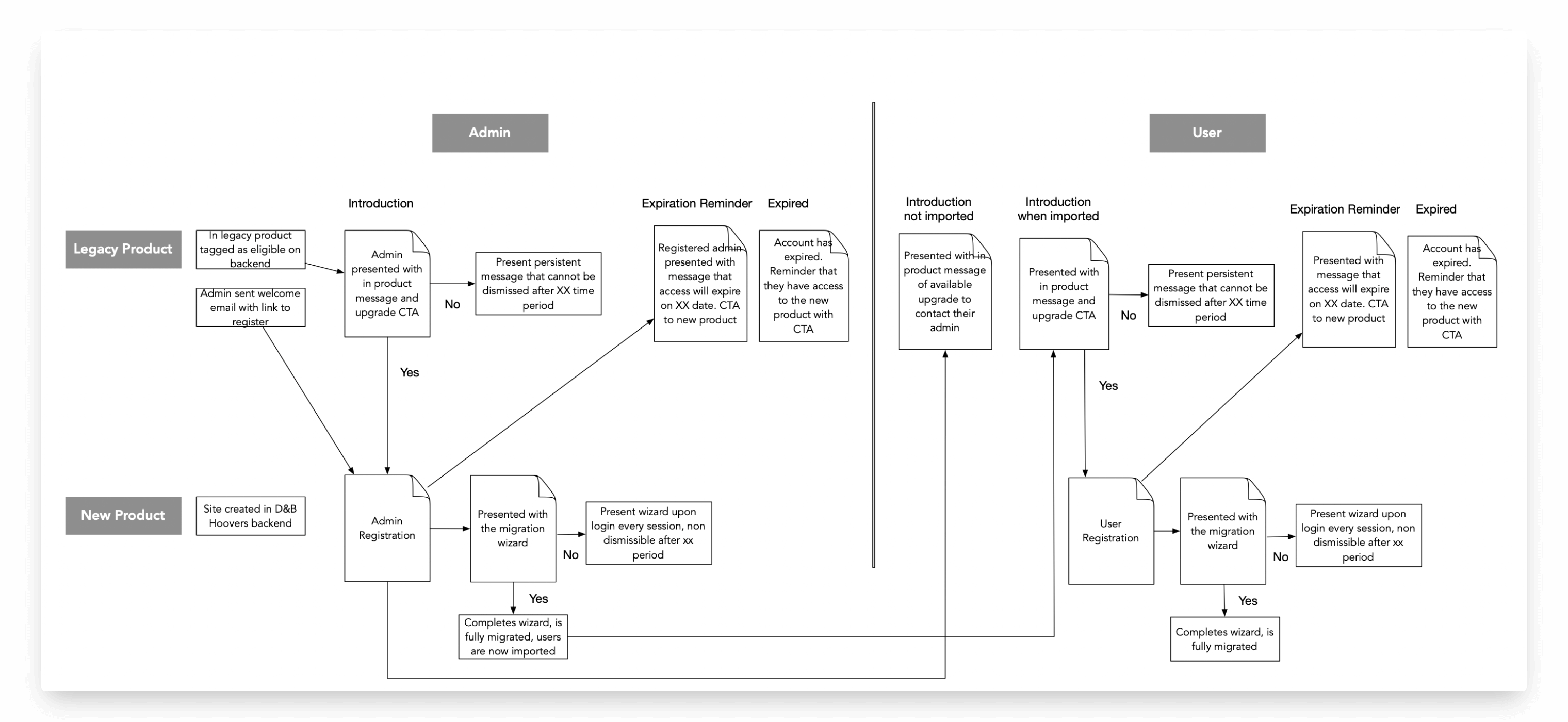
One key was getting administrators to import their site users into the new system, which would then allow users to register themselves in a similar manner. We utilized multiple touchpoints including welcome emails and in product messaging. After completing the registration, they were presented with a simple wizard that walked them through the migration process.