Create an easier way for site administrators to manage their users.
Administrations were solely responsible for registering users in order to grant them access to the product. This was very tedious and time consuming particularly if you had many seats. There also wasn't an easy way to carry out standard administrative activities such as user expiration, reinstatement and password resets.
D&B Hoovers
User Management
Key Goals & Requirements
Streamline the user registration process
Provide better visibility into seat allocation
Initial Discovery
There did exist a page with a tabular list of users, but it didn’t provide a way to easily view all existing users and their roles. User registration was hidden behind a drop down menu, and information had to be entered one at a time for each user. Actions such as user expiration, reinstatement and password resets could only be done by drilling into individual user level pages. Overall the experience was unnecessarily tedious.
How might we simplify the process of getting users in the product?
How do admins know how many seats they have or what's available?
What are all the actions an administrator may need to carry out?
How do they determine if and when to expire a user?
before
The previous page was largely focused on existing registered users and usage activities. User registration was hidden in a drop down menu and would present a form where administrators could enter an individuals information.
Administrators needed a dedicated area for user management where they could view all users, quickly find individuals, understand how many seats are available, as well as a streamlined means for getting new users registered.
Rather than having to manually enter users one at a time, providing the ability to invite users to register themselves could save the administrator a lot of time.
After
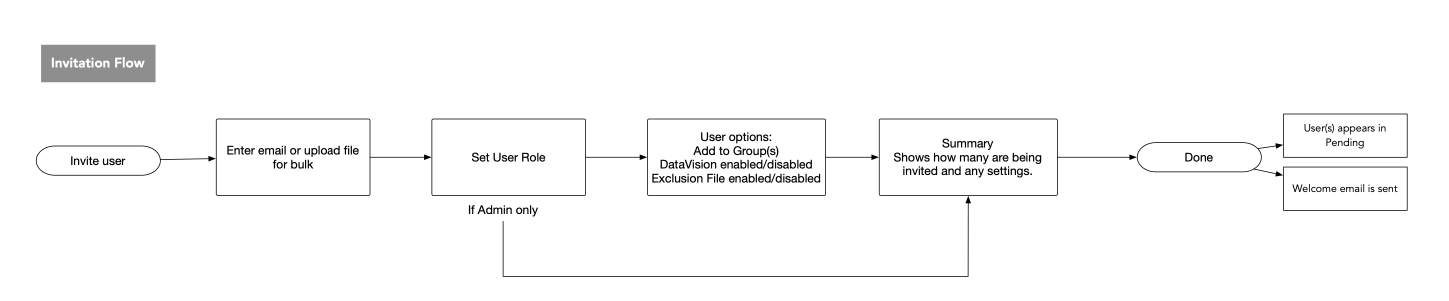
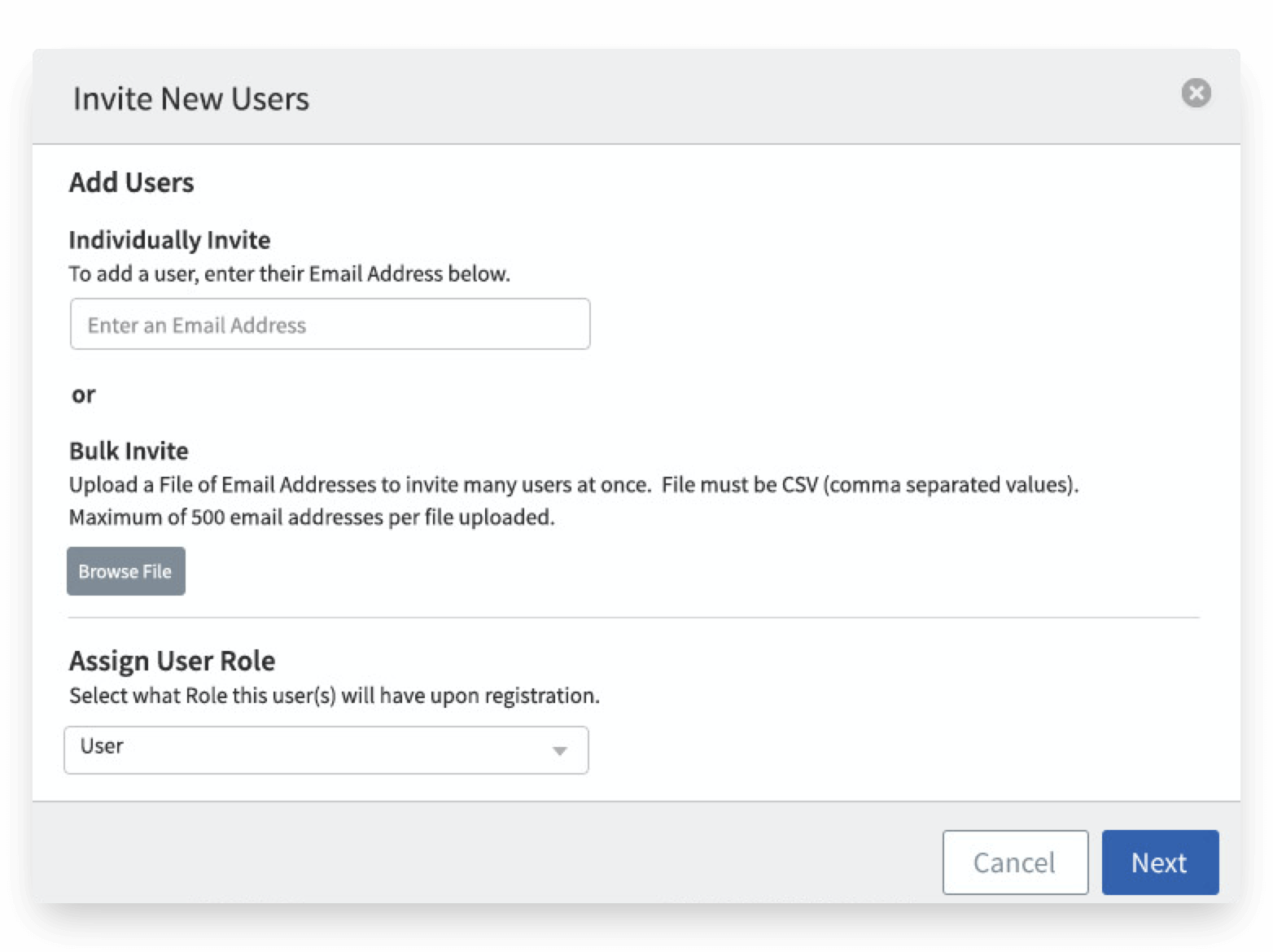
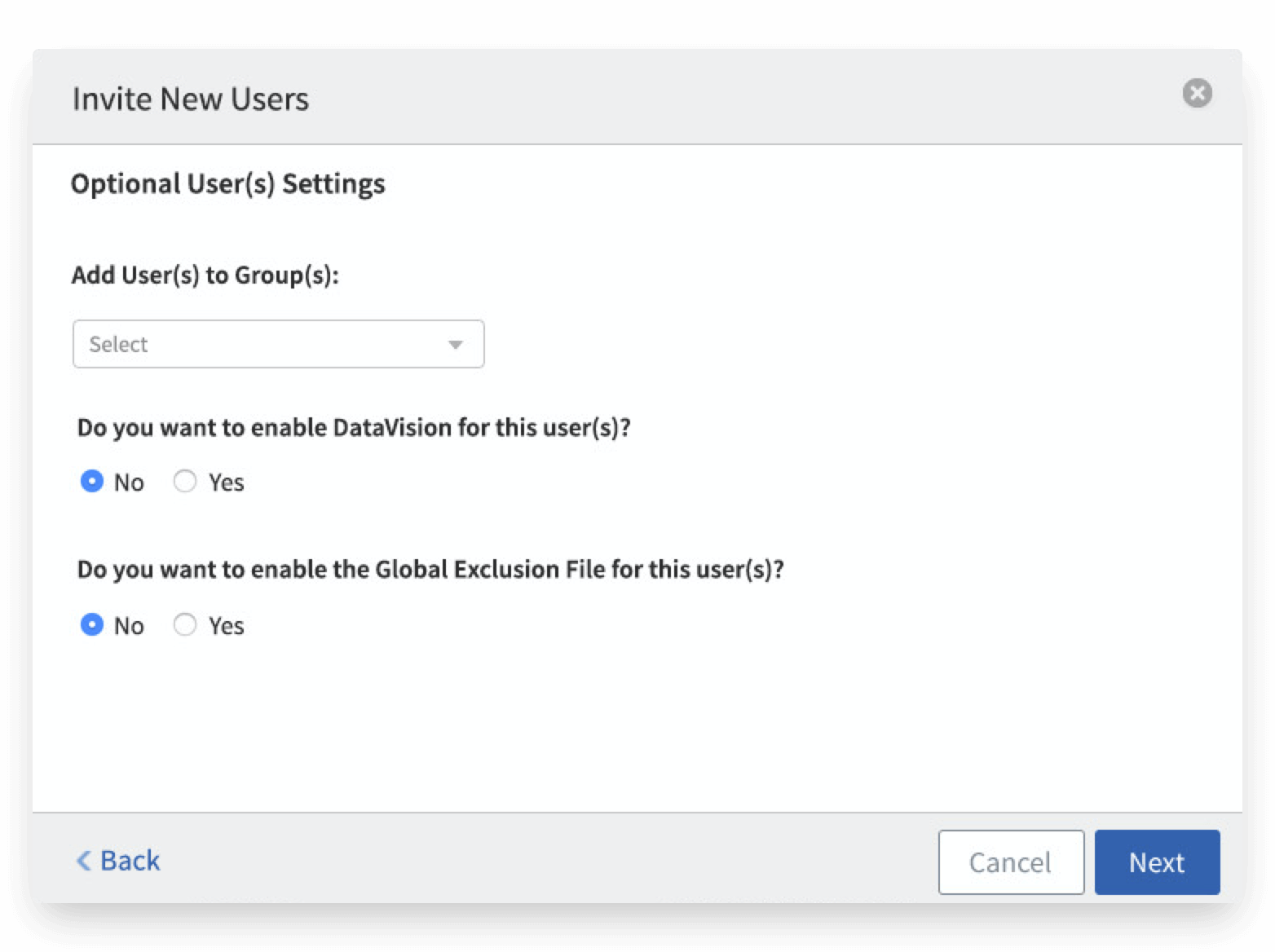
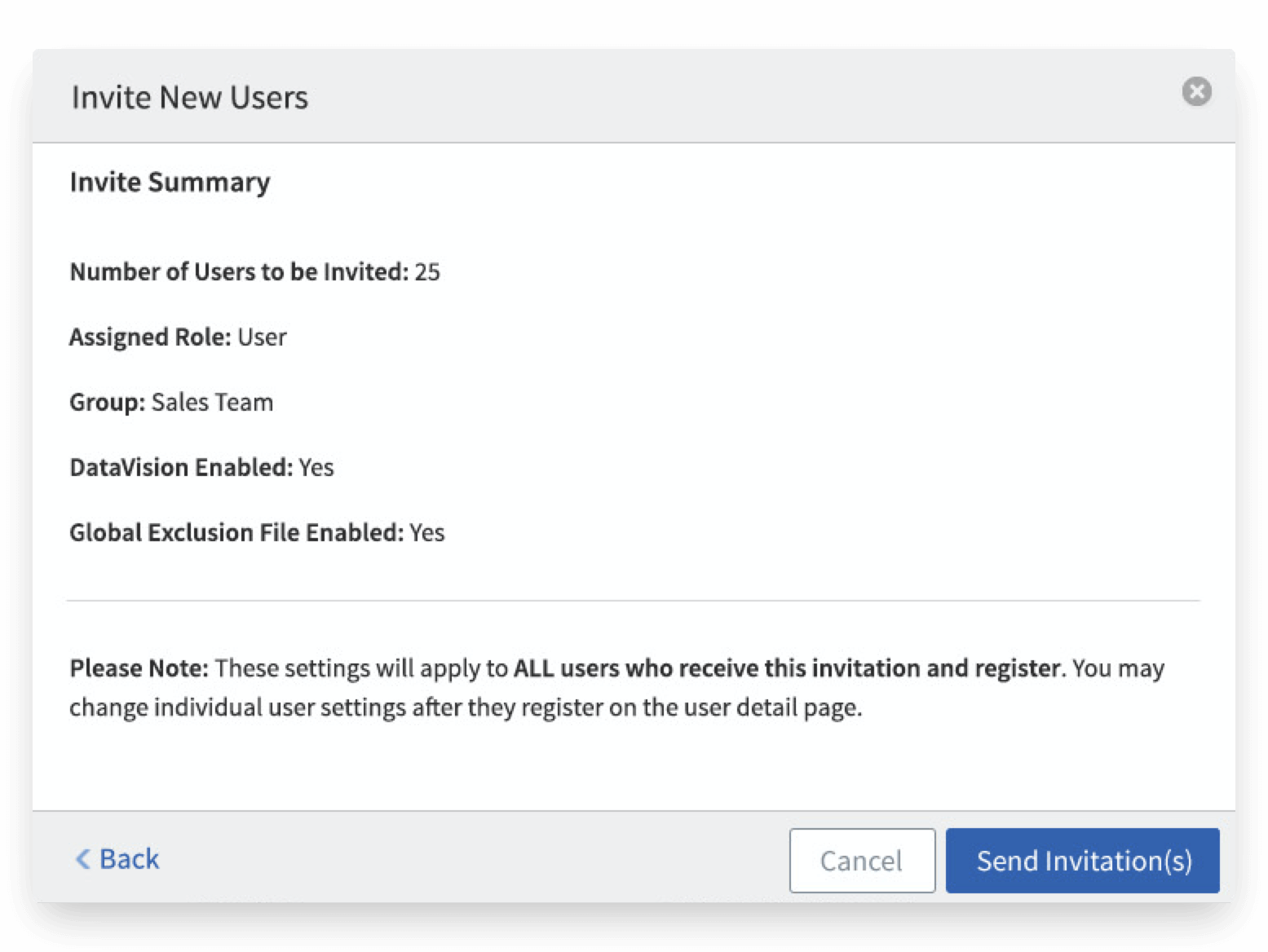
I created a simple workflow that allowed administrators to send out invitations both individually or in mass. The administrator can pre-assign user roles and optional settings that will be applied to those users upon registration. Once the invitation is submitted, this triggers a welcome email to be sent to all of the email addresses that were included.
User Management
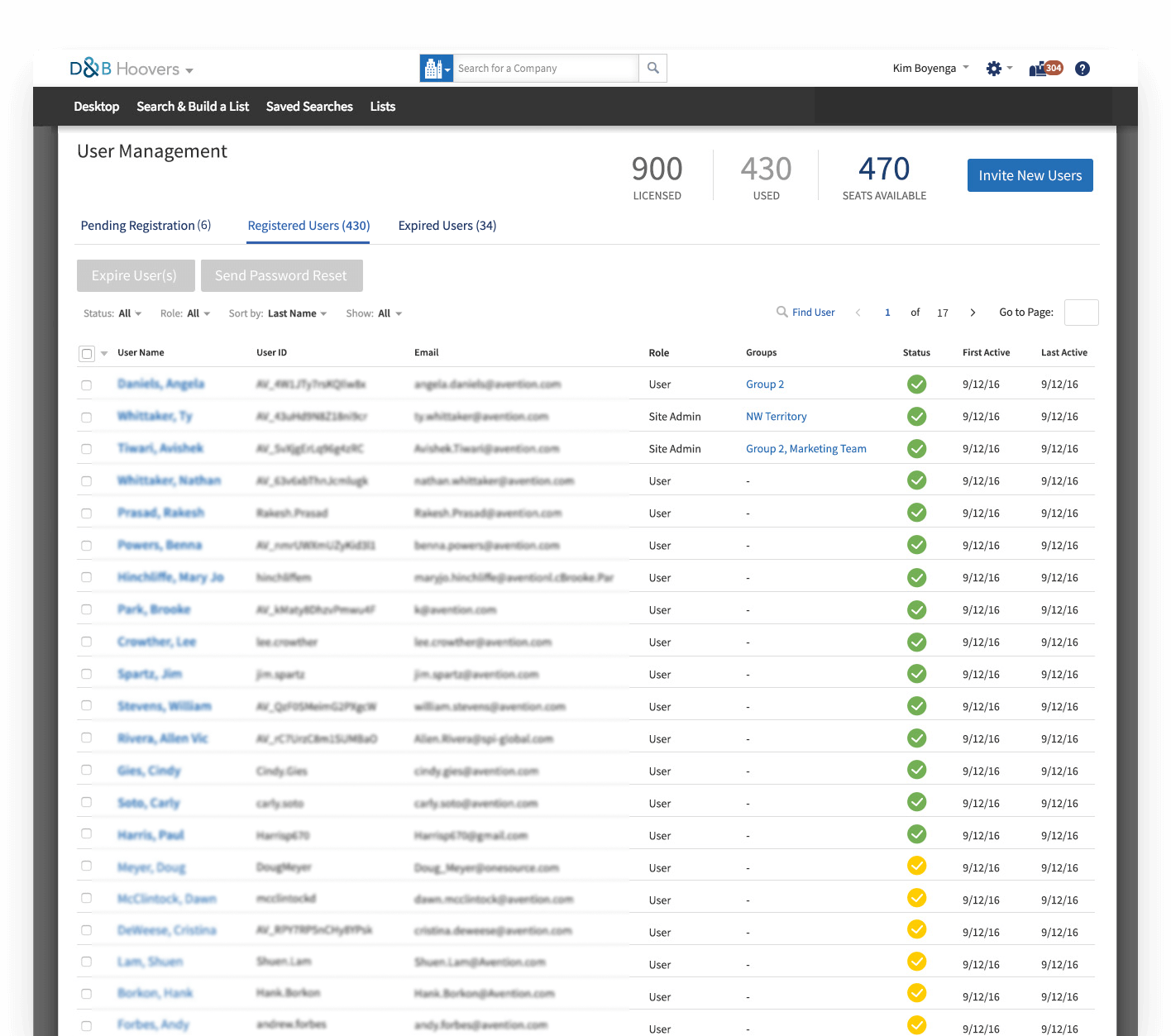
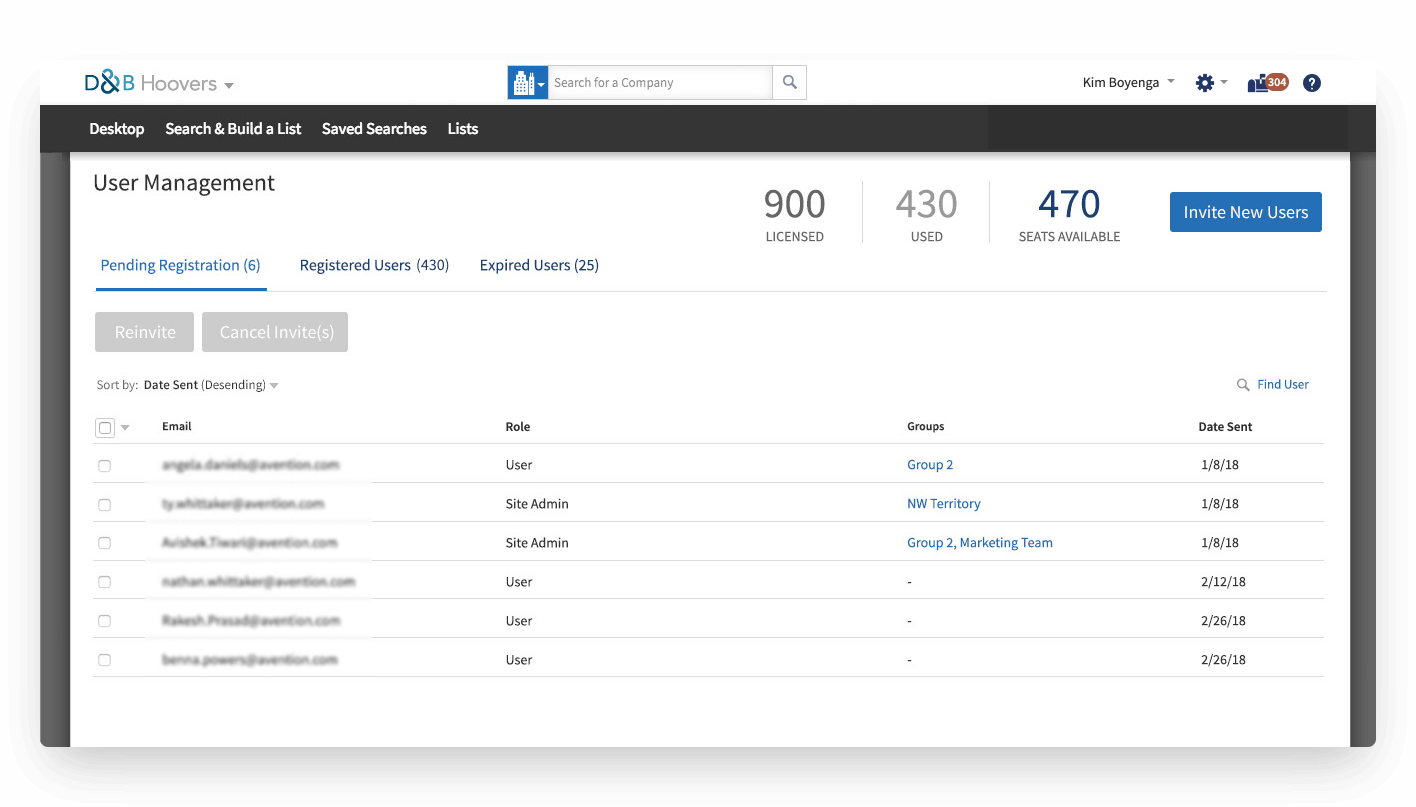
The new user management page provides a centralized location to view all potential users, including those who are expired and invitees that are still pending registration. Administrators can also see at a glance how seats are allocated to better inform decisions around how many new users to invite or if there are inactive users they may need to expire. There is a prominent call to action next to the current seats available for inviting new users.
Providing a multi select allows for bulk actions. Filters, sorting and search options provide multiple ways for an administrator to find the information they need, and the use of icons and color make it easy to quickly see status.
My initial designs included the ability to view and edit any assigned entitlements, roles and/or groups within this view, but that was descoped for the initial release as the priority was releasing the new invitation workflow.
Welcome Emails
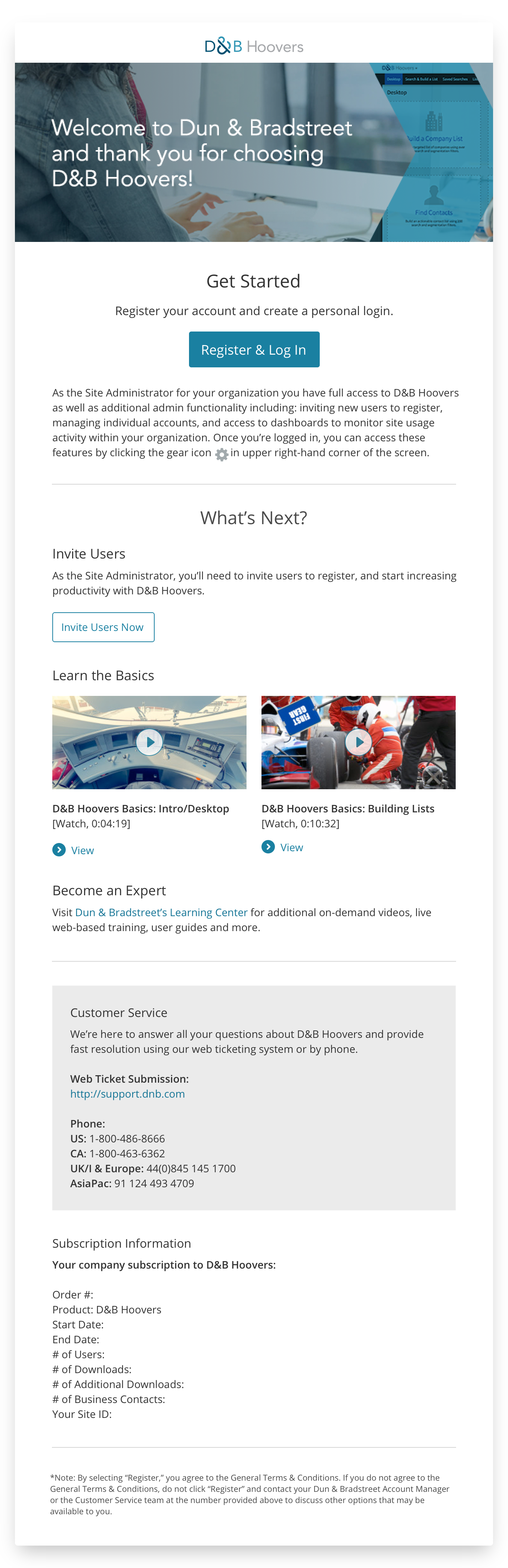
The other piece to this new invitation flow was enhancing our welcome emails. Previously our welcome emails weren't particularly compelling, text only, with multiple links and no clear primary call to action, and often contained redundant information. The new proposed content was much the same.
before
The main thing the user needs to do is register, and the supporting content just competes with this primary action. The accessing D&B Hoovers seems somewhat moot at this point as they can't access until they register, the link brings them to the same place, immediately placing them in the product after the registration screen.
After
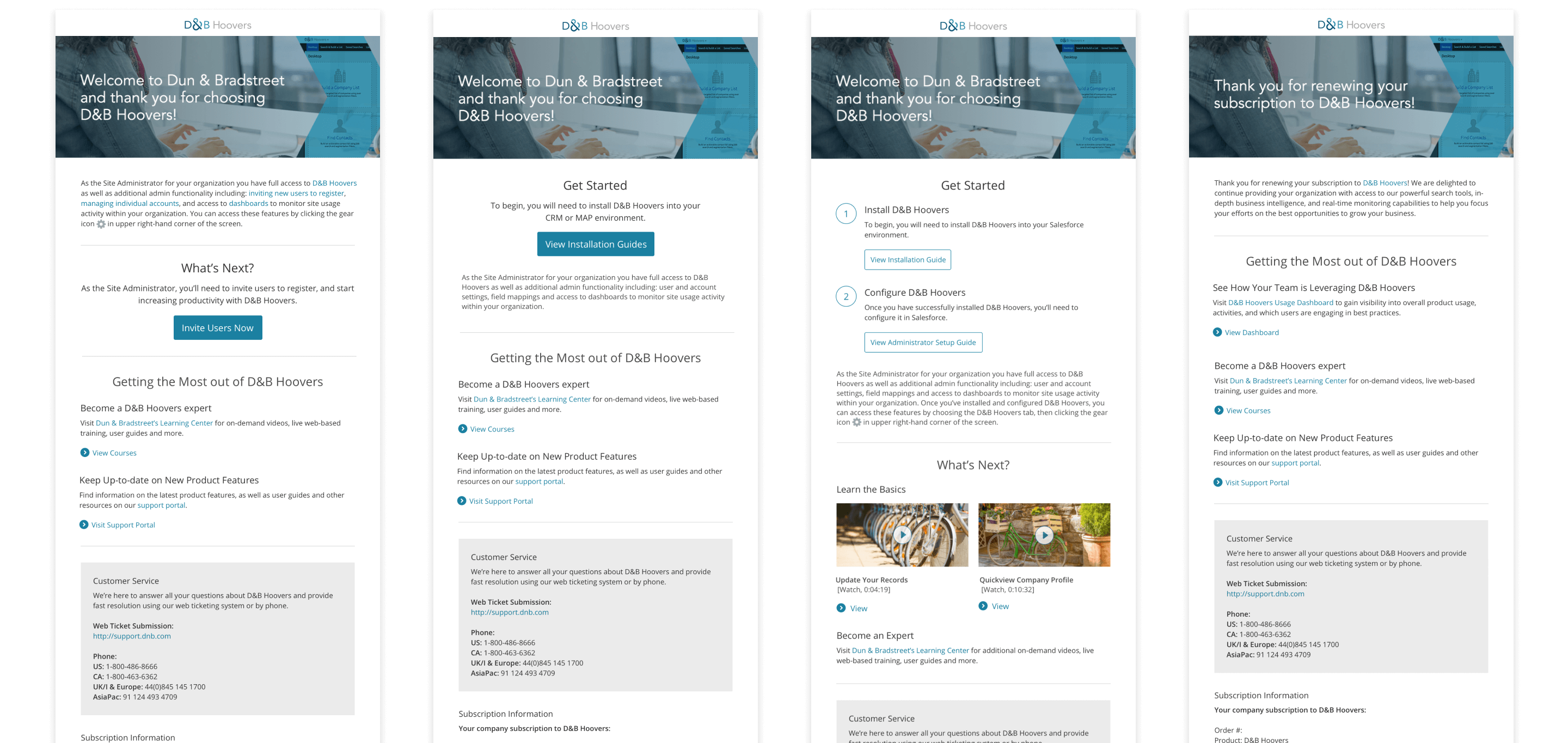
In addition to this new welcome email for new invitees, this also provided an opportunity to create or redesign unique versions of our welcome emails depending on the user's role, if they were standalone or CRM, if they had signed up for a trial or were renewing.
First I tweaked the content for each email to better highlight the primary call to action for each scenario as well the the supporting content. I then began building out the various templates using SendGrid.